
Home / How-to & tips / How to switch from Android to iPhone Duo
How-to & tips
How to switch from Android to iPhone Duo
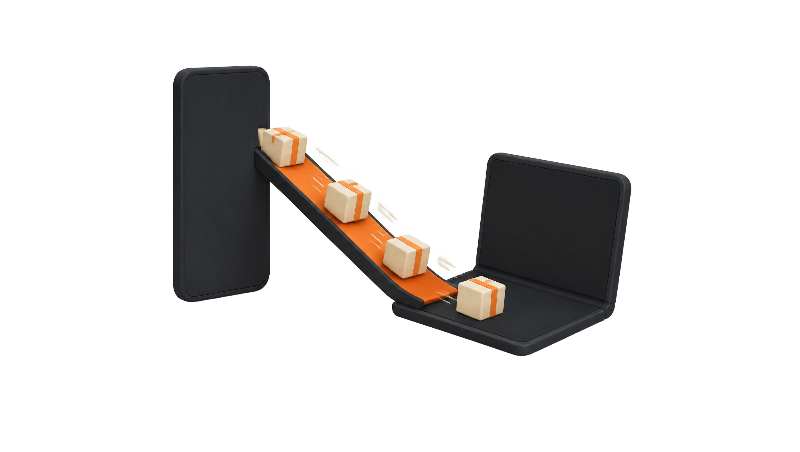
Moving from an Android phone, including a Galaxy Z Fold or Z Flip, to iPhone Duo runs through Apple's Move to iOS app during setup. Here's what transfers, what doesn't, and how to bring over WhatsApp, your eSIM and your Google data.
Key facts
Start Move to iOS on your Android phone while setting up the iPhone Duo, because Apple says it only works during setup. Contacts, messages, photos, calendars and WhatsApp chats come across, but music, books and PDFs need moving by hand, and only some free apps carry over. iPhone Duo is eSIM-only, so plan how your number moves.
Switching from Android to iPhone Duo runs through Apple's Move to iOS app, and the catch is timing: Apple says it only works while you set up the new phone. If your iPhone Duo is already set up, Apple's support document says you need to erase it and start over, or move your content by hand.
The steps below follow Apple's and Google's own instructions. Coming from another iPhone instead? Use our guide to transferring from another iPhone.
What moves over, and what doesn't
Apple says Move to iOS carries contacts, message history, camera photos and videos, photo albums, files and folders, web bookmarks, mail accounts, calendars, call history, Voice Memos, and some accessibility and display settings. Some free apps come across too, if they're on both Google Play and the App Store and support the transfer.
Not everything makes the trip. Apple says music, books and PDFs have to be moved manually, and only some free apps carry over, so plan to download the rest from the App Store. Apps you paid for on Android may need to be bought again if they're paid on iPhone too.
Apple also warns that the transfer fails if you take a phone call or switch to another app on the Android phone before it finishes. Put the Android phone down and leave it alone.
Galaxy Z Fold and Z Flip owners
A Galaxy Z Fold or Z Flip is an Android phone, so the same Move to iOS process should apply, as long as Apple's app supports your device. Apple's support document doesn't list specific Samsung models, and Apple hasn't said anything Fold-specific about the transfer.
If you're still weighing the two foldables, see our iPhone Duo vs. Galaxy Z Fold 8 comparison.
WhatsApp chats
WhatsApp is the only third-party app Apple names in its transfer list, which includes WhatsApp messages and media. WhatsApp's help page says the iPhone has to be factory new or factory reset, and you need Android 5 or later, iOS 15.5 or later, the latest WhatsApp on both phones and the same phone number. Both phones also need power and the same Wi-Fi network, or the Android phone can join the iPhone's hotspot.
WhatsApp says chats, media and settings move, but call history and your display name don't, and the feature isn't available for WhatsApp Business. After the transfer, install WhatsApp from the App Store and log in with the same number.
That number requirement matters on iPhone Duo, which takes no physical SIM. Plan to move your eSIM during setup so the number is live on the new phone.
Moving your number: iPhone Duo is eSIM-only
Apple's iPhone Duo spec page lists dual eSIM and says the phone isn't compatible with physical SIM cards. Apple's transfer document covers eSIMs only, so if your Android phone uses a physical SIM, ask your carrier to set up an eSIM.
Apple's eSIM transfer document says you can move an eSIM straight from Android during setup or later in Settings, but only with a compatible phone on Android 16 or later and a supported carrier. As of Nov 3, 2026, Apple lists AT&T, Cricket, FirstNet, T-Mobile, Verizon and Xfinity Mobile in the US. Apple also says both phones need to be on the same Wi-Fi network with Bluetooth on. If your phone or carrier isn't supported, Apple says to contact your carrier. Full details are in our eSIM guide.
Google contacts, calendars and photos
Move to iOS copies contacts and calendars once. If you keep using Gmail and Google Calendar, adding your Google Account on the iPhone Duo keeps them syncing. Google's Contacts help page says to do it in Settings, under Contacts, then pick which Google apps to sync.
Photos can go either way. Google's switching help page says Google Photos backs up separately from the rest of the phone and counts against your Google Account storage, so check that it shows "Backup complete" before you wipe or sell the Android phone.
What's different once you're on iPhone Duo
Apple's spec page lists Touch ID in the side button rather than Face ID, plus two screens: a 5.4-inch outer display and a 7.6-inch inner folding display. Fold owners will find both familiar, but the apps and gestures are Apple's.
Our iPhone Duo setup guide covers Touch ID and the rest of setup, and our Split View guide covers running two apps on the inner screen.
If you ever switch back
Apple's iMessage deregistration document says that if you move to a non-Apple phone and stop getting texts, you may need to deregister iMessage. Apple says to turn off iMessage and FaceTime in Settings on the iPhone first, or use its online tool if you no longer have the iPhone.
Bottom line
Switching from Android to iPhone Duo is mostly a setup-screen job, not a weekend project, but it rewards a little prep: back up Google Photos, confirm your carrier supports eSIM, and keep both phones plugged in until the bar finishes. Apple's support document also describes moving without the Move to iOS app on a compatible phone running Android 17 or later.
Steps
Check what you need first
Apple says both phones should be plugged into power, Wi-Fi should be on on the Android phone, and everything you move, including microSD card content, has to fit on the iPhone Duo. Check that your carrier supports eSIM, since iPhone Duo doesn't take a physical SIM.
Back up your Android phone and Google Photos
Google's help page says to back up the Android phone to your Google Account under Settings, then Back up or copy data. Photos and videos back up separately in the Google Photos app, so open it and confirm it says Backup complete.
Install Move to iOS on the Android phone
Download Apple's Move to iOS app from Google Play. Apple says you can skip the app only on a compatible phone running Android 17 or later. Apple also says a USB-C cable between the two phones is an option for a faster transfer.
Start setup on the iPhone Duo
Turn on the iPhone Duo and, on the Quick Start screen, choose to set up without another Apple device. On the Transfer Your Apps & Data screen, tap From Android, then Transfer with App. Already finished setup? Apple says you'll need to erase the iPhone Duo and start again.
Pair the phones with the code
Open Move to iOS on Android, accept the terms and set the permissions it asks for. Tap Continue on the iPhone Duo, wait for the code, and enter it on the Android phone. Apple says the Android phone then joins a temporary Wi-Fi network the iPhone creates.
Pick your content, including WhatsApp
Select what to move, such as contacts, messages, photos, calendars and WhatsApp. Keep both phones nearby and plugged in until the loading bar on the iPhone Duo finishes, even if Android says it's done, and don't take calls or switch apps on Android meanwhile, per Apple.
Move your eSIM
Apple says setup may offer to activate your number. With a supported carrier and Android 16 or later, you can also transfer the eSIM later in Settings under Set Up Cellular (or Cellular, then Add eSIM), then Transfer from Android, by scanning a QR code with the Android phone. Otherwise, contact your carrier to activate the eSIM.
Finish setup and add your Google Account
Complete the remaining setup screens, including Touch ID in the side button, then download any apps that didn't transfer from the App Store. To keep Gmail contacts and calendars syncing, Google says to add your Google Account in Settings under Contacts and choose what to sync.
Frequently asked questions
Can I use Move to iOS after my iPhone Duo is already set up?
Will my WhatsApp chats move from Android to iPhone Duo?
Can I put my Android SIM card in iPhone Duo?
Do my paid Android apps carry over?
Found this useful? Share it.
Sources (7)
From Apple
- Apple SupportMove from Android to iPhone or iPad
- Apple SupportTransfer your eSIM from Android to iPhone
- AppleiPhone Duo - Technical Specifications
- Apple SupportDeregister iMessage on your iPhone or online
Makers and developers
- Google Account HelpBack up your data on your old phone
- Google Contacts HelpSync Google Contacts with your mobile device or computer
- WhatsApp Help CenterHow to move chats from an Android device to an iPhone
Last verified
