
Home / Help & fixes / Is iPhone Duo waterproof? IP68 in practice
Help & fixes
Is iPhone Duo waterproof? IP68 in practice
iPhone Duo is rated IP68, which Apple says covers a maximum depth of 6 meters for up to 30 minutes. Here is what that rating covers, what Apple says to avoid, how dust affects the hinge, and Apple's own steps when the phone gets wet.
Key facts
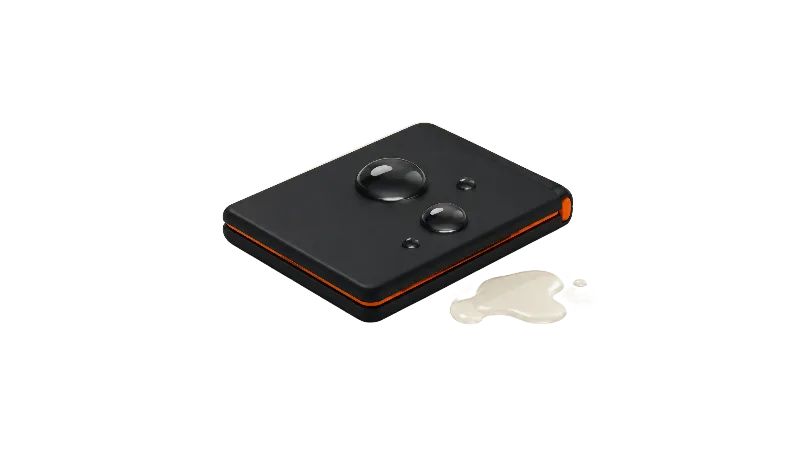
iPhone Duo is water resistant, not waterproof: Apple rates it IP68, up to 6 meters for 30 minutes, and says resistance isn't permanent and liquid damage isn't covered under warranty. If it gets wet, Apple says to wipe it, tap out liquid, let it air-dry and wait at least 5 hours before charging by cable.
iPhone Duo is rated IP68 under IEC standard 60529, which Apple says means a maximum depth of 6 meters for up to 30 minutes. That makes iPhone Duo water resistant, not waterproof, and Apple's own fine print explains the difference.
Apple lists the rating on the iPhone Duo spec page and repeated it in its September launch announcement.
What IP68 means for iPhone Duo
As MacRumors explains, the 6 means dust-tight and the 8 means protection from water deeper than 1 meter, with Apple setting its own limit at 6 meters for 30 minutes.
Apple says iPhone Duo was tested under controlled laboratory conditions. Apple's own guidance says not to swim with the phone, so treat the rating as a margin for accidents.
MacRumors reports that Samsung's Galaxy Z Fold8 is rated IP48 and Google's Pixel 11 Pro Fold IP68, so on paper iPhone Duo beats the Fold8 on dust and ties the Pixel; more in iPhone Duo vs Galaxy Z Fold8.
Apple's fine print: not permanent, and not covered
Apple's launch announcement footnote is direct: "Splash, water, and dust resistance are not permanent conditions." The spec page's footnote adds that resistance might decrease as a result of normal wear, tells owners not to charge a wet iPhone, and states that liquid damage is not covered under warranty.
That last line is the one that costs money, though Apple's support article adds that you may still have rights under consumer law.
What Apple says to avoid
Apple's support article, About splash, water, and dust resistance of iPhone 7 and later, lists iPhone Duo with the same IP68 rating. Apple says not to swim or bathe with the phone, expose it to pressurized or high-velocity water such as a shower or jet skiing, take it into a sauna or steam room, or deliberately submerge it.
The same article warns against extreme temperatures, very humid conditions, drops and other impacts, and taking the device apart, including removing screws. Apple also says to clean the phone right away after contact with sand, dust, makeup, soap, ink or lotion.
Dust and the hinge: dust-tight on paper, with limits
Apple's support article includes one line just for the foldable: "With iPhone Duo, make sure that the hinge is clean before opening it."
iFixit coated an iPhone Duo in fluorescent dust before its teardown, and MacRumors reports that the dust reached the USB-C port, speaker mesh and bezel while few particles got inside.
Some particles did get into the hinge, where MacRumors says they caused crunching. The hinge still collected less dust than the Galaxy Z Fold8 or Pixel 11 Pro Fold in similar tests, and iFixit said the Duo isn't ideal for the beach.
In JerryRigEverything's test, MacRumors reports, dust entered the hinge through several points and overwhelmed the magnets that hold the phone shut; the JerryRigEverything video summary has the full run. Neither was Apple's IEC lab test, so the fair read is that dust can reach the hinge, not that the rating is wrong.
Apple's hinge troubleshooting article suggests checking for particles or dust along the hinge and says not to use compressed air when cleaning. More on habits in the hinge care guide and on every published test in the durability tests roundup.
If your iPhone Duo gets wet
Apple says to wipe the phone with a soft, lint-free cloth, then gently tap it against your hand with the USB-C connector facing down to remove excess liquid.
Then leave it in a dry area with some airflow; Apple says placing it in front of a fan blowing cool air directly into the connector might help.
Apple says not to dry it with an external heat source or compressed air, and not to put objects such as cotton swabs or paper towels into the connector. Apple's liquid-detection article also warns against a bag of rice, because small particles of rice could damage the iPhone.
Apple says to allow at least 5 hours before charging with a USB-C cable or connecting an accessory, and to make sure the phone is dry before using a wireless charger.
Apple's advice about drying before opening the SIM tray doesn't apply, since Apple's model identification page says iPhone Duo has no SIM tray. Apple's water-resistance and liquid-detection articles don't include separate drying steps for the hinge or inner display.
What the liquid-detection alert means
Apple says iPhone XS, iPhone XR and later models can warn you when there's liquid in the connector. If you see the alert, Apple says to unplug the cable from the phone and the adapter, tap out excess liquid, leave the phone somewhere dry with good airflow, and try again after at least 30 minutes.
If the alert returns, Apple says drying can take up to 24 hours; an emergency override exists, though Apple advises against charging while wet.
Apple says a Qi-certified wireless charger can still charge the phone once its back is dry. iPhone Duo supports MagSafe and Qi2 charging up to 25W, per the spec page.
Who pays if water gets in
Because liquid damage falls outside Apple's warranty, AppleCare+ is the main safety net. Apple's repair page says AppleCare covers unlimited repairs for drops and spills.
The same page lists a much lower fee for other accidental damage with AppleCare than without it, and Apple says it inspects each device to set the final fee. Current figures are in our Apple repair costs guide (inner display fees under inner display), and the value question is in Is AppleCare+ worth it.
Bottom line
On paper, iPhone Duo's IP68 rating is a real strength for a foldable, especially the dust half. In practice, the hinge is the part to watch: keep it clean, avoid direct contact with sand, follow Apple's advice to stay out of pools and steam, and stick to Apple's drying steps over folk remedies.
Has your iPhone Duo had a close call with water or sand? Share what happened and how you handled it.
Frequently asked questions
Is iPhone Duo waterproof?
Can I swim or shower with iPhone Duo?
Does Apple's warranty cover water damage on iPhone Duo?
Should I put a wet iPhone Duo in rice?
Can dust get into the iPhone Duo hinge?
Found this useful? Share it.
Sources (11)
From Apple
- AppleiPhone Duo - Technical Specifications
- Apple NewsroomApple unveils iPhone Duo
- Apple SupportAbout splash, water, and dust resistance of iPhone 7 and later
- Apple SupportIf you see a liquid-detection alert on your iPhone
- Apple SupportIdentify your iPhone model
- Apple SupportiPhone Duo Troubleshooting Hinge Issues
- Apple SupportApple Service and Repair for iPhone
Coverage
Makers and developers
- JerryRigEverythingiPhone Duo Durability: Destroyed (YouTube)
Last verified
