
Home / Help & fixes / Hinge care
Help & fixes
Hinge care
Apple's official hinge advice for iPhone Duo is mostly in a troubleshooting document and its cleaning guidance. Here's what Apple allows and forbids around the hinge, what IP68 does and doesn't promise, which cases cover the hinge, and when to contact Apple.
As an Amazon Associate, iPhone Duo Guide earns from qualifying purchases. This doesn't affect what we recommend.
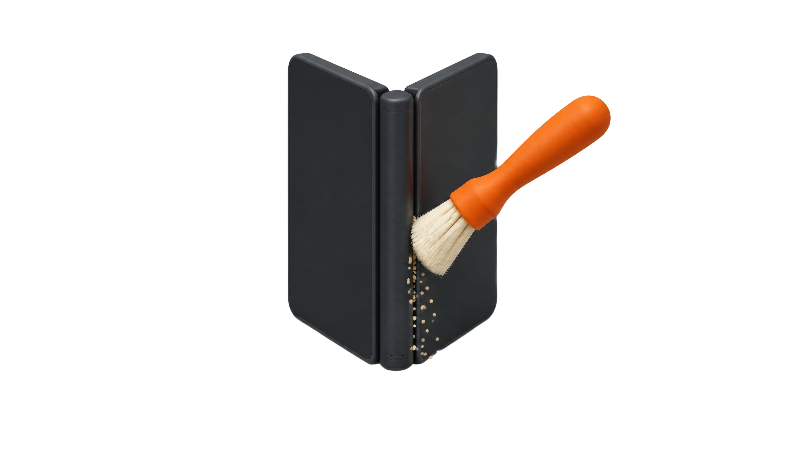
Key facts
Apple's hinge troubleshooting document for iPhone Duo says to clean with a soft, damp, lint-free cloth after unplugging and powering off, and not to use compressed air, bleach or hydrogen peroxide. Apple's IP68 rating isn't permanent and might decrease with normal wear, according to the spec page. If the hinge won't fully open or close, makes unexpected noise, feels loose or looks bent, Apple's document says there's no software fix; its next step is replacing the internal display assembly, a service job rather than an owner fix, so contact Apple Support.
By Oct 23, launch day, 9to5Mac had reported on Apple's hinge troubleshooting document for iPhone Duo, and Apple's page now shows a Nov 3 update. That document is the closest thing Apple offers to official hinge-care advice. This guide pulls together what that document, Apple's spec page and Apple's cleaning guidance say about keeping the hinge clean and working. It's built from Apple's pages and published reporting, not hands-on testing.
For how the hinge feels and how it held up in fold tests, see the iPhone Duo hinge review. This page sticks to care.
What Apple says about the hinge
In its iPhone Duo announcement, Apple says the hinge is engineered from "more than 100 components" to control opening and closing and to support the center of the display. Apple says the hinge works with an integrated magnet array to keep the phone closed, and that the 3D-printed hinge cover uses 100 percent recycled titanium with a micro-blasted finish.
Apple's iPhone Duo tech specs page lists the same recycled titanium hinge cover and puts iPhone Duo at 11.3 mm thick closed, 5.2 mm open and 254 g. Neither page gives a fold rating or any hinge-specific dust protection. Apple hasn't said how many folds the hinge is designed for.
Apple's hinge troubleshooting document
Apple's hinge troubleshooting document covers five problems, according to 9to5Mac's report on the new support documents: an iPhone Duo that won't fully open or close, unexpected noise when opening or closing, a loose hinge, a bent or broken hinge, and enclosure damage that affects how the hinge works.
The checks Apple lists are simple. Remove any third-party case and screen protector, open and close the phone while listening for unusual sounds, make sure the hinge isn't loose, stiff or misaligned and holds its position, and look for dirt or dust along the hinge and dents or scratches on the enclosure. Macworld's summary of the document lists the main checks and notes that Apple also points to the hinge handling guidance in the iPhone User Guide.
One detail matters for anyone hoping a restart will help. The document says there are no diagnostics or software fixes for hinge problems, so restarting, updating or restoring iPhone Duo isn't part of the process. If the checks don't resolve it, the document's next step is replacing the internal display assembly, which requires ordering parts and tools. That's a service step, not something owners do at home, and Apple notes the replacement may not fix the problem. You can contact Apple Support to arrange that service.
Cleaning around the hinge: what Apple allows
Apple's hinge document says to clean the display with a soft, damp, lint-free cloth, and to clean the whole iPhone if needed, after disconnecting all cables and turning the phone off. Apple's Cleaning your iPhone article gives the same basic method for current models and names a lens or microfiber cloth as examples.
Apple's cleaning article also says to clean the iPhone immediately if it touches dirt, dust, sand or makeup, along with acids, lotions, sunscreen and similar liquids. For disinfecting, Apple allows a 70 percent isopropyl alcohol wipe, a 75 percent ethyl alcohol wipe or Clorox Disinfecting Wipes on exterior surfaces, used gently and never past their expiration date.
The inner screen has its own rules because of the nano-texture cover layer, which Apple's cleaning article says not to remove. Those are covered in the guide to cleaning the inner screen.
What Apple forbids
No compressed air. Apple's hinge document lists it among the things not to use, and Apple's cleaning article rules it out for all iPhone models, too.
The hinge document also says not to use products with bleach or hydrogen peroxide, not to let moisture into openings, not to submerge the iPhone in any cleaning product, and not to clean it while cables are connected or the phone is on. Apple's general cleaning guidance for its products adds no aerosol sprays, no abrasives, and no spraying cleaner directly onto a device.
That rules out the usual quick fixes for grit in a seam, such as a blast from a can of air or a squirt of cleaner. A soft cloth is the tool Apple names.
IP68 helps, but it isn't permanent
Apple's spec page rates iPhone Duo IP68 under IEC standard 60529, at a maximum depth of 6 meters for up to 30 minutes, tested under controlled laboratory conditions. The footnote is the part to remember: "Splash, water, and dust resistance are not permanent conditions," Apple says, and resistance might decrease as a result of normal wear.
The same footnote says not to charge a wet iPhone and that liquid damage isn't covered under warranty. The spec page doesn't say anything hinge-specific about the rating.
Dust is where that matters most. In JerryRigEverything's durability test, Zack Nelson covered the phone in dust and dirt and particles appeared to enter the hinge, according to Dexerto's report on the test, which says the debris stopped the phone from shutting completely. Nelson said he couldn't tell whether the dust or the hinge itself caused the failure. It's one torture test of one phone, not normal use, but it's a reason not to treat IP68 as a license to fold iPhone Duo in a sandbox. More is on our JerryRigEverything summary and in the durability tests roundup.
Everyday habits for pockets, sand and lint
Apple's hinge and cleaning documents don't include pocket or beach advice, so the habits below are general advice for any folding phone, not Apple guidance. They follow from Apple's own instructions: keep grit off the phone, and clean it right away when it gets dirty.
Close iPhone Duo before it goes into a pocket or bag, so the seam and inner screen aren't open to lint, crumbs or keys. Turn out pockets that collect lint now and then, since fibers and grit tend to gather in seams. At the beach or a dusty job site, a sealed pouch or zip bag is cheap insurance, and it's better to wipe the outside with a dry or slightly damp lint-free cloth before unfolding than to open and close a gritty phone.
If you do hear grinding or feel grit, stop folding it, clean the outside the way Apple describes, and run through the checks in Apple's hinge document. For the crease itself, see how to protect the crease.
Cases with hinge covers
Apple's two cases, the iPhone Duo Case and the iPhone Duo Folio with Kickstand, launched at $79 and $129 and aren't described in Apple's announcement as covering the hinge. Several third-party cases do cover it.
The dbrand iPhone Duo Grip Case covers the hinge with one strip of elastic polymer that dbrand says "opens like a door" and is held shut by magnets, from $54.90 to $69.90 depending on the finish, as of Nov 7, 2026. The Spigen Tough Armor Pro (Mag Fit) lists full hinge coverage at $69.99, but it shows as sold out, and Spigen says some Mag Fit accessories may not fit because of the hinge cover.
Two hinge-covering picks from the best cases guide are sold on Amazon. The OtterBox Defender Series Pro XT has an articulating hinge guard that folds flat when the phone is open, per iThinkDiff's rugged roundup; the limitation is weight, since it's the heaviest case Macworld's case roundup lists a weight for, at 74.4g.
OtterBox Defender Series Pro XT for iPhone Duo on Amazon ↗The Spigen Slim Armor Pro (Mag Fit) shows full hinge coverage in Spigen's product images in a slimmer shell. The limitation: Spigen includes a guide to a "Shift Left Edge" setting, which suggests the case may sit close to the screen edge.
Spigen Slim Armor Pro (Mag Fit) for iPhone Duo on Amazon ↗A hinge cover keeps out larger debris, but it's also another part where fine grit can collect, so it makes sense to take the case off occasionally and wipe underneath. Remember, too, that Apple's hinge document asks you to remove third-party cases when troubleshooting. More picks are in the best iPhone Duo cases guide.
When to contact Apple
Contact Apple Support if iPhone Duo shows any symptom from the hinge document after you've removed the case and cleaned the outside: it won't fully open or close, it makes unexpected noise, the hinge feels loose, it looks bent, or the enclosure is damaged near the hinge. Because Apple's document says there's no software fix and its remaining step is a service repair, there's little to gain from waiting for an update.
Apple's iPhone repair page lists estimated iPhone Duo service fees with and without AppleCare, says Apple inspects the device to set the final fee, and says AppleCare covers unlimited repairs for drops and spills. The fees are broken down in Apple's iPhone Duo repair costs, and whether the plan pays off is covered in is AppleCare+ worth it.
Bottom line
Hinge care on iPhone Duo is mostly about what not to do: no compressed air, no cleaners in the seam, and no trust in IP68 as a permanent shield against dust. Keep it closed in pockets, wipe it with a soft cloth when it gets gritty, and take any of the symptoms in Apple's hinge document to Apple rather than a toolkit. We'll update this guide if Apple publishes more hinge guidance. What's your routine for keeping grit out?
Steps
Close it before pocketing
Fold iPhone Duo shut before it goes into a pocket or bag so the seam and inner screen aren't exposed to lint, crumbs or keys. This is general foldable advice, not an Apple instruction.
Power off and unplug before cleaning
Apple's hinge document says to disconnect all cables and turn the iPhone off before you clean it.
Wipe with a soft, damp, lint-free cloth
Wipe the outside, including along the hinge, with a soft, slightly damp, lint-free cloth such as a lens or microfiber cloth. Apple says to clean right away after contact with dirt, dust, sand or makeup.
Skip what Apple forbids
Don't use compressed air, bleach, hydrogen peroxide, aerosol sprays or abrasives, don't let moisture into openings, and never submerge iPhone Duo in a cleaning product.
Check the hinge if something feels off
Remove any third-party case and screen protector, open and close the phone while listening for unusual sounds, check that the hinge isn't loose, stiff or misaligned and holds its position, and look for dust along the hinge or dents on the enclosure.
Contact Apple for hinge symptoms
If it still won't fully open or close, makes unexpected noise, feels loose, looks bent, or the enclosure is damaged near the hinge, contact Apple Support. Apple's hinge document says there's no software fix, and its next step is replacing the internal display assembly, a service step rather than an owner step.
Frequently asked questions
Can I use compressed air to clean the iPhone Duo hinge?
Does IP68 mean dust can't get into the hinge?
Will a software update fix a noisy or loose hinge?
Do Apple's own cases cover the hinge?
Found this useful? Share it.
As an Amazon Associate, iPhone Duo Guide earns from qualifying purchases. This doesn't affect what we recommend.
Sources (15)
From Apple
- AppleiPhone Duo - Technical Specifications
- Apple NewsroomApple unveils iPhone Duo
- Apple SupportTroubleshooting hinge issues on iPhone Duo (Czech edition, dated Nov 3, 2026; English edition at support.apple.com/en-us/148323)
- Apple SupportCleaning your iPhone
- Apple SupportHow to clean your Apple products
- Apple SupportiPhone Repair
Coverage
Makers and developers
- DexertoApple's iPhone Duo fails JerryRigEverything's durability test
- JerryRigEverything (YouTube)iPhone Duo Durability: Destroyed
- dbrandiPhone Duo Grip Case
- SpigeniPhone Duo Case Tough Armor Pro (Mag Fit)
- SpigeniPhone Duo Case Slim Armor Pro (Mag Fit)
Last verified
