
Home / How-to & tips / Keyboard on the inner screen
How-to & tips
Keyboard on the inner screen
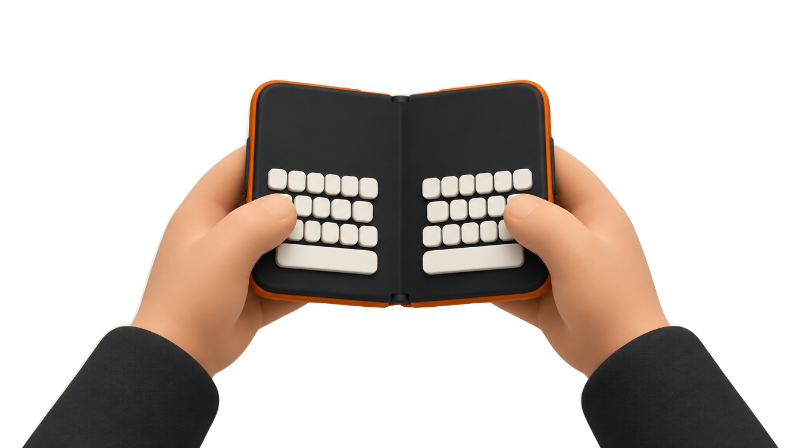
iPhone Duo's inner display offers a wide full keyboard and a split keyboard that puts keys under each thumb. Here's how to switch between them, what happens when the phone is partly folded, and what reviewers say about typing, plus dictation and Apple Pencil.
Key facts
The inner display has a full-width keyboard and a split keyboard: tap the three dots at the top left of the keyboard and choose Split or Full, and the keyboard splits automatically when the phone is partly folded. Apple hasn't said whether a floating keyboard exists, and a developer reports the dictation button is unavailable with third-party keyboards.
iPhone Duo's 7.6-inch inner display uses the familiar iOS keyboard in a wider form, plus a split layout that puts half the keys under each thumb. In the Portrait section of Apple's iPhone Duo page, the company says you can "type comfortably on a wider keyboard."
The split keyboard showed up in early hands-on videos that 9to5Mac rounded up on Sep 18, with the keyboard splitting into two halves when the open phone was held sideways. Here's what Apple and reviewers have confirmed since the Oct 23 launch, and what's still unclear.
Which keyboard layouts does the inner screen have?
Two are confirmed: the full-width keyboard and the split keyboard. iClarified's Nov 4 tips video, tried on an iPhone Duo running iOS 27, shows that with the phone open in landscape, a three-dot menu at the top left of the keyboard offers Split and Full.
What about a floating or one-handed keyboard? Apple hasn't said whether iPhone Duo offers the iPad's floating keyboard or a one-handed layout on the inner display, and none of the reviews cited here mention one.
For one-handed typing, the outer display looks like the better tool. In his first-day impressions, Macworld's Jason Cross found the outer screen's extra-wide keyboard larger and easier to use, and wider than the one on iPhone 18 Pro Max.
What happens when the phone is partly folded?
The keyboard splits on its own. MacRumors reported on Sep 10 that Apple detailed a split keyboard that appears when the display is partly folded, and Tech Advisor's review found the keyboard splitting in two when the Duo is half-folded.
There's a practical reason. Apple's Human Interface Guidelines say that when iPhone Duo is partially open, a folding region divides the inner display and content stays clear of the center. MacRumors adds that content shifts away from the crease in that posture because taps there are harder to register, so it appears the split layout exists to keep keys off the fold.
How does typing feel, according to reviewers?
Mostly good. In his 9to5Mac review, Chance Miller wrote that typing on the inner display in portrait "is very natural." Landscape means stretching a little, he added, though he still found it doable.
Longer writing holds up too. Macworld's Britta O'Boyle wrote a feature of roughly 2,000 words in Pages on iPhone Duo during her week with it and said the on-screen keyboard reshapes itself to suit each posture.
The crease is the one physical caveat. Chance Miller found you can feel the crease on the touchscreen, especially in portrait, but said it stops being a problem once you get used to it. More on that in the iPhone Duo crease explainer.
Dictation and third-party keyboards
Other keyboards are added the usual way, under Settings > General > Keyboard > Keyboards, according to Apple's iPhone User Guide. That page doesn't include anything specific to iPhone Duo.
There's a catch for dictation. A developer reported on Apple's Developer Forums that on iPhone Duo with iOS 27.1 or later, the dictation button sits inside the system keyboard next to the space bar, so it isn't available while a third-party keyboard is active. An Apple DTS engineer replied, citing Apple's archived custom keyboard guide, that keyboard extensions can't access the microphone for dictation, and suggested switching to the system keyboard to dictate. That's a developer's report and a forum reply, not Apple documentation. Apple hasn't said whether that placement will change.
If you'd rather not dictate, Apple says in its iPhone Duo announcement that Siri can help users write and edit virtually anywhere they type, by describing what they need.
Can you write with Apple Pencil instead?
Yes, with the right Pencil. 9to5Mac reports that iOS 27.2, released Oct 26, added Apple Pencil support to iPhone Duo, and that only Apple Pencil (USB-C) works; Apple Pencil Pro and other models aren't supported. Apple's iPhone Duo page notes that hover isn't supported with Apple Pencil (USB-C).
Handwriting into text fields is less clear. Gadget Hacks reports that the Pencil supports Scribble, which converts handwriting into typed text, with the option under Settings > Apple Pencil. Apple's iPhone Duo page and announcement don't mention Scribble, so treat that as reported rather than confirmed. Setup and limits are in the Apple Pencil on iPhone Duo guide.
What's changing in iOS 27.3?
The iOS 27.3 beta changes the outer display's keyboard, not the inner one. 9to5Mac, citing Beta Profiles, reports narrower keys and a slightly thinner, smaller font. Features in a beta can change before release, so see the iOS 27.3 beta guide before installing it.
Tips for typing on the inner screen
Match the layout to the grip. 9to5Mac's review found portrait typing very natural, while the split layout shows up in landscape and in the partly folded posture.
Keep the system keyboard handy if you use a third-party one. Based on the developer report above, switching back is currently the way to reach the dictation button.
Type in one app while reading another. Apple says Split View puts two apps side by side on iPhone for the first time; the Split View guide covers the gestures. For more setup ideas, see the first settings to change and more iPhone Duo tips.
Bottom line
Typing on the inner display is one of iPhone Duo's quieter strengths, reviewers found, and the split keyboard handles the awkward partly folded posture. The gaps are a floating keyboard Apple hasn't mentioned and dictation with third-party keyboards. We'll update this guide if iOS 27.3 or a later update changes the inner keyboard. Which layout do you use most?
Steps
Bring up the keyboard
Tap where you want to type, such as a note in Notes or the address bar in Safari, to open the keyboard on the inner display.
Switch to the split keyboard
With iPhone Duo open in landscape, tap the three dots at the top left of the keyboard and choose Split. The keys move closer to your thumbs.
Go back to the full keyboard
Tap the three dots at the top left of the keyboard again and choose Full.
Or partly fold the phone
Fold iPhone Duo partway, like a book. The keyboard splits in two automatically in that posture, MacRumors and Tech Advisor report.
Add another keyboard
Open Settings, tap General > Keyboard > Keyboards, then tap Add New Keyboard and choose one from the list.
Switch keyboards while typing
Touch and hold the Emoji button or the Switch Keyboard key, then tap the keyboard you want.
Frequently asked questions
Does iPhone Duo have a split keyboard?
Does iPhone Duo have a floating keyboard like iPad?
Why can't I dictate with a third-party keyboard on iPhone Duo?
Can I handwrite text with Apple Pencil on iPhone Duo?
Found this useful? Share it.
Sources (16)
From Apple
- AppleiPhone Duo
- AppleiPhone Duo - Technical Specifications
- Apple NewsroomApple unveils iPhone Duo
- Apple DeveloperDesigning for iPhone Duo (Human Interface Guidelines)
- Apple SupportAdd or change keyboards on iPhone (iOS 27)
- Apple Developer ForumsNo access to dictation from third-party keyboards on iPhone Duo
Coverage
- MacRumorsApple Details How iOS 27 Adapts to iPhone Duo's Displays
- 9to5MaciPhone Duo videos reveal split keyboard, app multitasking, more
- 9to5MaciPhone Duo review: The future is foldable
- 9to5MacApple releases iOS 27.2, here's what's new
- 9to5MaciOS 27.3 changes the iPhone Duo keyboard, here's how
- MacworldA week with iPhone Duo: Folding refined, if not perfected
- MacworldiPhone Duo: 6 highs and lows that defined my first 12 hours
- iClarified7 iPhone Duo tricks to try (video)
Makers and developers
Last verified
