
Home / How-to & tips / How to use Apple Pencil on iPhone Duo
How-to & tips
How to use Apple Pencil on iPhone Duo
iOS 27.2 added Apple Pencil support to iPhone Duo on Oct 26, on both the inner and outer displays. Only Apple Pencil (USB-C) works, and it pairs and charges over a USB-C cable.
As an Amazon Associate, iPhone Duo Guide earns from qualifying purchases. This doesn't affect what we recommend.
Key facts
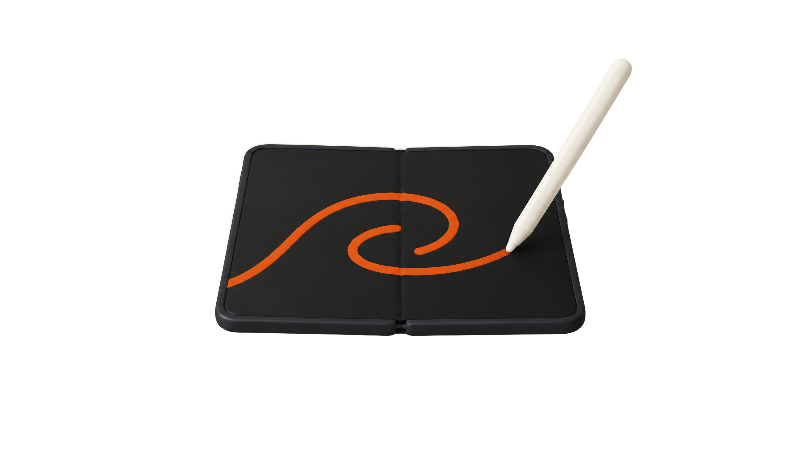
Only Apple Pencil (USB-C) works with iPhone Duo, on both displays, after you update to iOS 27.2; the Apple Pencil Pro and older models don't. It pairs and charges over a USB-C cable, supports tilt but not pressure, and Apple says hover isn't supported on the Duo.
Apple Pencil support officially arrived on iPhone Duo with iOS 27.2 on Oct 26, three days after the phone went on sale on Oct 23, according to 9to5Mac's iOS 27.2 coverage. It works on both the 7.6-inch inner display and the 5.4-inch outer display, but only with one Pencil model, and with a few iPad features missing.
The Duo shipped on iOS 27.1, and Apple had only promised Pencil support for later in the year, TechRepublic reported. More on everything else in the update is in our iOS 27.2 guide for iPhone Duo.
Which Apple Pencil works with iPhone Duo?
Just one. Apple's Apple Pencil troubleshooting document for iPhone Duo says "Only Apple Pencil (USB-C) is compatible with iPhone Duo," and it requires iOS 27.2 or later. The iPhone Duo spec page lists Apple Pencil (USB-C) support under both displays and names no other model.
MacRumors' guide to using an Apple Pencil with the Duo says the Apple Pencil (1st generation), Apple Pencil (2nd generation) and Apple Pencil Pro won't work. That rules out the Pencil Pro and the older models, so check the model before you try it.
Why not the Pencil Pro? Apple hasn't said. MacRumors reported in September that the likely reason is that the Duo has no magnetic charging surface for the Pencil Pro, which pairs and charges magnetically on an iPad. Treat that as an informed guess, not Apple's explanation.
The Apple Pencil (USB-C) is sold separately for $79 as of Nov 2, 2026, per Apple's Apple Pencil (USB-C) page.
Amazon sells the same Apple model, but its compatibility list names only iPads; Apple's own documents above are what confirm it works with iPhone Duo. The limitation on the Duo: no hover and no pressure sensitivity, covered below.
Apple Pencil (USB-C) on Amazon ↗Pairing and charging use a cable
Apple says the Apple Pencil (USB-C) pairs and charges over a USB-C cable, and TechRepublic confirms the same setup on the Duo. The port sits behind a sliding cap on the end of the Pencil, MacRumors reported in September. Apple's spec page lists a 1 m USB-C Charge Cable in the iPhone Duo box, so you don't need to buy one. The full pairing steps are below.
Charging is cable-only, too. Gadget Hacks says the Pencil charges only over USB-C, and that you check its battery in the Batteries widget or under Settings > Apple Pencil. Gadget Hacks also reports that restarting the Duo, turning off Bluetooth or pairing the Pencil with another device can drop the connection, and the fix is to plug it back in.
What works: Notes, Markup and palm rejection
MacRumors found that, once paired, the Pencil works on the Duo much as it does on an iPad for writing and drawing, on both screens. MacRumors also found that palm rejection is available as a setting you turn on.
9to5Mac lists annotating PDFs and images, sketching and saving handwritten notes as the main uses. MacStories named Apple Notes and Freeform, and wrote that the Duo already "feels so much like a tiny notebook," which suits handwriting. Gadget Hacks adds marking up screenshots and photos, filling in forms, signing documents and Scribble, which converts handwriting into typed text.
What doesn't: hover, pressure and the Pro gestures
Hover is out. Apple's spec page footnote says hover isn't supported when you use Apple Pencil (USB-C) with iPhone Duo, so you won't get a preview of where a brush will land before the tip touches the glass.
Pressure sensitivity is also missing. That's a limit of the Pencil, not the phone: MacRumors' September report notes the Apple Pencil (USB-C) lacks pressure sensitivity, double-tap, barrel roll, haptic feedback, squeeze and Find My. Apple's Pencil page does list tilt sensitivity, which helps with shading. For note-taking, that matters little. For artists who want line weight that follows pressure, it's a real gap.
The nano-texture cover layer and Pencil tips
The inner display has a nano-texture finish, per Apple's spec page. MacRumors reported that Apple engineering VP Kate Bergeron said this cover layer can be removed and replaced.
Apple's spec page and Pencil troubleshooting document for iPhone Duo don't warn about Pencil tips wearing the cover layer. MacRumors found the tip can leave visible lines that wiped away with a polishing cloth, and it judged permanent damage unlikely. Our inner screen cleaning guide covers how to wipe it safely.
If the layer does get marked up, Apple's iPhone repair pricing page lists a $49 replacement fee, or $19 with AppleCare+, as of Nov 2, 2026. See the cover layer fee in our repair costs guide.
Where to keep the Pencil
There's nowhere on the Duo to charge the Pencil wirelessly. MacRumors found the Apple Pencil (USB-C) attaches magnetically to the Duo's hinge for storage, but it doesn't charge there. A magnetic grip on a phone you carry in a pocket isn't a holster, so a case or bag loop is the safer bet if you carry both.
Which apps support it?
Apple's own apps are the safe starting point. Third-party support may vary, because each developer decides which Pencil features to adopt, Gadget Hacks says. Our productivity apps for iPhone Duo page is the place to check which note and markup apps are worth a look.
If the Pencil stops responding, Apple's troubleshooting document suggests removing any third-party case, cover or screen protector and retesting, then unpairing and pairing again. That's worth knowing before you add an inner screen protector.
Bottom line
Apple Pencil on iPhone Duo is useful, not essential. MacRumors called it "not quite as useful as it is on an iPad" because of the smaller screen, but said it could be worth it for notes and quick sketches. If you already own an Apple Pencil Pro, it won't help here, and we'll update this guide if Apple widens support. Are you writing on your Duo yet?
Steps
Update to iOS 27.2
Install iOS 27.2 or later. Apple says Apple Pencil support on iPhone Duo requires it.
Check your Pencil model
Make sure you have the Apple Pencil (USB-C). The Apple Pencil Pro, Apple Pencil (2nd generation) and Apple Pencil (1st generation) won't work with iPhone Duo.
Open the Pencil's USB-C port
Slide back the cap on the end of the Apple Pencil (USB-C) to expose its USB-C port.
Connect the Pencil to the Duo
Use the USB-C cable from the iPhone Duo box to connect the Pencil to the phone's USB-C port to pair it.
Unplug and charge when needed
Once it's paired, unplug the cable. Charge the Pencil over the same cable when it runs low.
Turn on palm rejection
Turn on palm rejection: MacRumors says it's a setting you have to switch on, though Apple hasn't documented where it lives on iPhone Duo.
Try it in Notes
Open the Notes app on either display and start writing.
Frequently asked questions
Does the Apple Pencil Pro work with iPhone Duo?
Does iPhone Duo charge the Apple Pencil wirelessly?
Is the Apple Pencil pressure sensitive on iPhone Duo?
Will the Apple Pencil scratch the iPhone Duo's inner screen?
Found this useful? Share it.
As an Amazon Associate, iPhone Duo Guide earns from qualifying purchases. This doesn't affect what we recommend.
Sources (12)
From Apple
Coverage
- MacRumorsiPhone Duo: Release Date and Pre-Orders
- 9to5MaciPhone Duo just got two new features in iOS 27.2
- MacRumorsUsing an Apple Pencil With the iPhone Duo: What to Know
- MacRumorsiPhone Duo Only Works With the $79 USB-C Apple Pencil, Not the Apple Pencil Pro
- MacRumorsiPhone Duo cover layer and battery fees
- MacStoriesApple Releases iOS and iPadOS 27.2 with Apple Pencil Support for iPhone Duo and Smarter Siri
Makers and developers
Last verified
