
Home / How-to & tips / How to take handwritten notes on iPhone Duo
How-to & tips
How to take handwritten notes on iPhone Duo
Apple Pencil (USB-C) works on iPhone Duo's inner display with iOS 27.2 or later, and Apple Notes now documents Pencil handwriting on the Duo. Here's what Notes, Freeform, Goodnotes and Notability offer as of Nov 15, 2026, and where the limits are.
Key facts
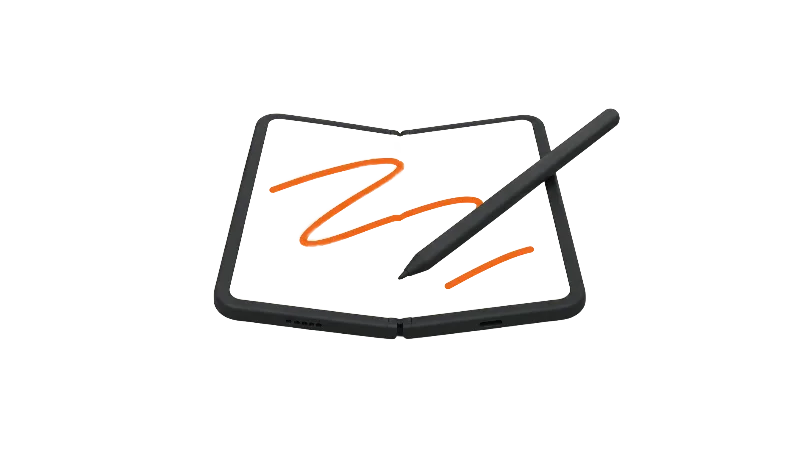
Apple Notes is the simplest way to take handwritten notes on iPhone Duo: with Apple Pencil (USB-C) and iOS 27.2 or later, it supports searchable handwriting, Straighten and handwritten math. Apple says hover isn't supported on the Duo, and Apple's Apple Pencil page marks pressure sensitivity as not compatible with the USB-C Pencil. Goodnotes lists an iPhone Duo-optimized update; Notability's listing doesn't mention the Duo.
Apple Pencil support reached iPhone Duo with iOS 27.2 on Oct 26, and 9to5Mac's iOS 27.2 report lists saving handwritten notes among the main uses, on both the inner and outer displays. This guide covers note-taking on the inner display: what Apple supports, what Apple Notes does with handwriting, and what the big notebook apps list on the App Store as of Nov 15, 2026.
Pairing and the full feature list are in the Apple Pencil on iPhone Duo guide.
What Apple supports, in one paragraph
Apple's Apple Pencil troubleshooting document for iPhone Duo says "Only Apple Pencil (USB-C) is compatible with iPhone Duo," and it asks for iOS 27.2 or later. The Apple Pencil (USB-C) costs $79 as of Nov 15, 2026, on Apple's Apple Pencil (USB-C) store page, which says it pairs and charges over a USB-C cable. Apple's iPhone Duo spec page lists the 7.6-inch inner display with a nano-texture finish and adds a footnote: "Hover is not supported when using Apple Pencil (USB-C) with iPhone Duo."
Pressure is the other gap. Apple's Apple Pencil comparison page lists tilt sensitivity for Apple Pencil (USB-C) and marks pressure sensitivity, double-tap and squeeze as not compatible. That matters less for handwriting than for painting, but strokes won't thicken when you press harder.
Apple Notes is the place to start
Apple's iPhone User Guide page on drawings and handwriting in Notes now says you can use Apple Pencil (USB-C) on iPhone Duo, alongside your finger. It's the obvious first stop.
According to that page, you can search handwritten text in supported languages, and the first handwritten line becomes the suggested title when a note has none. A Straighten option levels uneven writing, underlined words offer spelling corrections, and you erase by scratching out a word and holding on the screen. Smart Selection lets you move or copy handwriting, or paste it as typed text.
Math Notes and handwritten equations
Math works by hand, too. Apple's page on formulas and equations in Notes says you can write an expression horizontally followed by an equal sign, or write a stack of numbers and draw a line under it to add them. You then tap the equal sign and tap Solve. Apple's Math Notes page for Calculator also names Apple Pencil (USB-C) on iPhone Duo as an input option.
What about Smart Script?
Apple's Notes handwriting page says that when you tap an underlined word to fix its spelling, the fix appears "in your own writing style," but it doesn't give that a feature name. Apple's iPhone Duo spec page and Apple Pencil page don't mention Smart Script either. We'll update this guide if Apple names it for iPhone Duo.
Freeform for sketchy, messy notes
Freeform is free, with an optional subscription at $12.99 a month or $129 a year as of Nov 15, 2026, per the Freeform App Store listing. The listing still describes drawing with your finger and doesn't mention Apple Pencil or iPhone Duo. Gadget Hacks names sketching in Freeform as a Pencil use on the Duo, and MacStories wrote that writing with the Pencil feels natural in both Notes and Freeform, calling the Duo "a tiny notebook."
Goodnotes and Notability on the App Store
Goodnotes is the one with Duo-specific release notes. Its App Store listing says version 7.1.34 on Nov 1 made Goodnotes "now optimized for iPhone Duo," with a two-level toolbar, a reading mode and layouts for folded, semi-folded and unfolded use. As of Nov 15, 2026, the listing shows Goodnotes as free with in-app purchases, including Essential (Yearly) at $11.99, Goodnotes Pro (Yearly) at $35.99 and a Goodnotes 6 One-Time Payment at $28.99, and it requires iOS 18.6 or later. The listing's release notes mention Apple Pencil features such as Scribble to text, but don't say whether Apple Pencil works in Goodnotes on iPhone Duo.
Notability is also listed as free with in-app purchases, from $5.99 to $99.99, and requires iOS 17.0 or later, per its App Store listing. The listing doesn't mention iPhone Duo or Apple Pencil, so it's unclear how far Notability has adapted to the inner display. Gadget Hacks says each third-party app decides which handwriting features it supports, so check an app's own notes before you pay.
More on other options is in the best drawing and Pencil apps for iPhone Duo.
Honest limitations
No pressure and no hover are the documented trade-offs, per Apple's Pencil pages. Palm rejection is less clear. Apple's Apple Pencil page mentions palm rejection only in general terms, and Apple's iPhone Duo spec page doesn't describe how a resting hand is handled on the inner display. MacRumors' Pencil guide found a palm rejection setting you turn on, and Gadget Hacks points to Only Draw with Apple Pencil in Settings, which leaves your finger for scrolling.
The writing surface is smaller than an iPad's, too. MacRumors judged the Pencil good for quick notes and sketches but less useful than on an iPad because of the screen size. MacRumors also found the tip can leave lines on the Duo's display that wipe away with a polishing cloth. Our guides to the nano-texture layer and cleaning the inner screen cover care.
Bottom line
For handwritten notes, Apple Notes covers searchable handwriting, straightening and handwritten math, and Goodnotes has the clearest Duo-specific update of the two notebook apps covered here. It isn't an iPad replacement for artists, but for meeting notes and to-do lists it's a real option. Are you writing on your Duo yet, or sticking with the keyboard?
Steps
Update to iOS 27.2 or later
Apple's Apple Pencil troubleshooting document for iPhone Duo says the phone needs iOS 27.2 or later for Pencil support, and only Apple Pencil (USB-C) works.
Pair Apple Pencil (USB-C)
Connect the Pencil to iPhone Duo with a USB-C cable and follow the on-screen pairing prompt, per Gadget Hacks. Apple says the Pencil pairs and charges over a USB-C cable. Gadget Hacks reports that a restart, turning off Bluetooth or pairing with another device can end the pairing; plug it back in to reconnect.
Optional: turn on Only Draw with Apple Pencil
Gadget Hacks says Settings > Apple Pencil includes Scribble and Only Draw with Apple Pencil, which keeps your finger for scrolling and selecting while the Pencil draws.
Open a note and start writing
Open Notes and open or create a note. Apple's Notes guide says to tap the Handwriting Tools button, then write; Apple Pencil (USB-C) works on iPhone Duo.
Change tools and tidy up
Use the Markup tools to change color or tool, tap Straighten to level your writing, and scratch out a word then hold on the screen to erase it, per Apple's Notes guide.
Solve handwritten math
Write a math expression horizontally followed by an equal sign, then tap the equal sign and tap Solve, according to Apple's Notes formulas page.
Search and convert
Apple says you can search handwritten text in Notes in supported languages, and Smart Selection lets you copy handwriting and paste it as typed text.
Frequently asked questions
Which Apple Pencil works for handwritten notes on iPhone Duo?
Can Apple Notes solve handwritten math on iPhone Duo?
Does Smart Script work on iPhone Duo?
Is there pressure sensitivity for handwriting?
Does Goodnotes support iPhone Duo?
Found this useful? Share it.
Sources (14)
From Apple
- AppleiPhone Duo - Technical Specifications
- AppleBuy Apple Pencil (USB-C)
- AppleApple Pencil (compare models)
- Apple SupportiPhone Duo Troubleshooting Apple Pencil Issues
- Apple SupportAdd drawings and handwriting in Notes on iPhone
- Apple SupportEnter formulas and equations in Notes on iPhone
- Apple SupportSolve math with Math Notes in Calculator on iPhone
- Apple App StoreFreeform (App Store)
- Apple App StoreGoodnotes: AI Notes, Docs, PDF (App Store)
- Apple App StoreNotability: AI Notes & PDF app (App Store)
Coverage
Makers and developers
Last verified
