
Home / How-to & tips / How to shoot hands-free with iPhone Duo half-open
How-to & tips
How to shoot hands-free with iPhone Duo half-open
iPhone Duo can stand on its own half-open, and Apple builds Smart Take, Duo Preview, Kid Cue and hands-free FaceTime around that. Here's what Apple documents for each pose, how to set up a group photo, a time-lapse and a video call, and where reviewers found limits.
Key facts
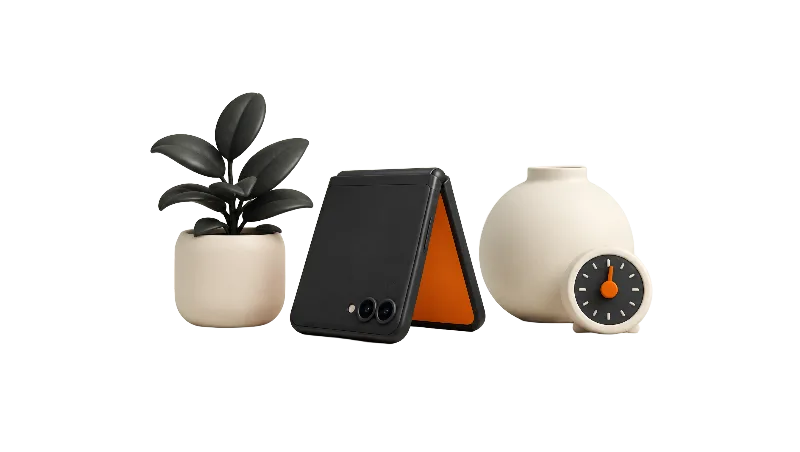
Fold iPhone Duo partway and set it down: Apple's Pose guide pairs the book pose with Smart Take, the tent pose with showing your subject a preview, and the seated position with hands-free FaceTime. Smart Take takes photos automatically when you pose or hold still, and it's on by default when iPhone Duo is placed on a surface; Duo Preview and Kid Cue run on the outer display. Apple doesn't list hinge angles or say which camera each pose uses.
iPhone Duo can be its own tripod. Fold it partway, set it on a table, and Apple's Pose iPhone Duo guide suggests using the half-open poses for Smart Take group photos, for showing your subject a preview, and for hands-free FaceTime calls.
What Apple documents for each half-open pose
Apple names three partly folded poses, and each one has a camera job. Fold it like a book and the inner display faces you in landscape; Apple says you can hold it that way or set it down for StandBy or Smart Take photos.
Fold it and set it down like a tent, and the outer display faces you in landscape. Apple suggests turning that display toward the person you're photographing, to show them a photo preview or to get children and pets to look at the camera.
Set it down in a seated position and the inner display faces you in portrait. Apple pitches that pose for watching video and for FaceTime calls without holding the phone. Apple's guide gives no hinge angles, and it doesn't say which camera is active in each pose. More on the poses themselves in tent and laptop modes.
The camera features built for a propped-up Duo
Apple's iPhone Duo spec page lists Smart Take, Duo Preview and Kid Cue among the rear camera features, and Smart Take also appears under the 12MP outer front camera. Apple's launch announcement describes Kid Cue as Peanuts animations on the outer display and says FaceTime works with the phone held open or propped on a surface.
Smart Take is the hands-free one. Apple's Smart Take guide says it captures a photo when you strike a pose or hold still, taking up to 20 photos over a couple of minutes, and that it's on by default when iPhone Duo is placed on a surface. The Smart Take button appears if the phone is stable, and the flash blinks each time a photo is taken. MacRumors' Smart Take how-to adds that you can change the flash under Settings > Camera > Flash During Capture, and that if you half-fold the Duo and stand it on its side, one half shows the camera view and the other shows the shots so far.
Apple's What's new with iPhone Duo page says Duo Preview shows your subject how they appear in the frame, and Kid Cue plays an animation to get children and pets to look toward the camera. Both live behind the Outer Display Options button on the inner display, according to iThinkDifferent, which adds that the outer display shows only the preview, with no camera controls, so the shutter stays on your side. Macworld's Jason Cross notes in his iPhone Duo review that you can also flip the viewfinder to the outside screen while the phone is open.
Which screen shows the viewfinder?
Apple hasn't published a chart. Reviewers describe the inner display as your viewfinder when the phone is open and the outer display as the subject-facing screen. Digital Camera World's Adam Juniper found that at an obtuse angle the phone has sight lines to both the main cameras and the outer selfie camera.
Camera Control, the timer and touch-free shooting
Apple's spec page lists Camera Control on iPhone Duo, and iThinkDifferent reports it sits on the right side next to the side button. iThinkDifferent also says a volume button or Camera Control can fire the shutter while Duo Preview is running.
Pressing a button on a propped phone can nudge the framing, so Smart Take or the timer is likely the cleaner choice. In iOS 27, Timer is one of the controls you can add to the top of the Camera app via the six-circle button in the bottom-right, per MacRumors.
Time-lapses and night shots
Apple's spec page lists stabilized Time-lapse up to 4K Dolby Vision and Night mode Time-lapse. MacRumors' iPhone Duo camera guide says the folding mechanism acts like a built-in tripod and stand, so the Duo can record steady time-lapses without one.
A MacRumors Night mode time-lapse how-to written for earlier iPhones says Night mode switches on by itself in low light and strongly recommends a tripod. Apple's spec page and guides we checked don't say whether Night mode treats a partly folded Duo like a tripod-mounted phone, so don't count on longer exposures.
Hands-free video calls
The seated position is Apple's hands-free calling pose. The under-display FaceTime camera records 1080p at 30 or 60 fps with Center Stage for video calls, per Apple's spec page.
Apple's What's new with iPhone Duo page says Duo FaceTime lets someone next to you join on the outer display with their own view. MacRumors' Duo FaceTime how-to says you unfold the phone, start or join a Group FaceTime call, tap the screen, tap More, then Duo FaceTime. TapSmart suggests a lamp or a window in dim rooms, since the under-display camera gets grainy.
Limits worth knowing
Heat is the main catch. TapSmart warns in its Smart Take tip that long sessions work the processor hard and can warm the phone, and its Duo Preview tip says the same about running both displays. The Verge found processor-intensive camera features like Smart Take can make the Duo hot enough to lag noticeably after a while, per MacStories' review roundup (see The Verge review summary).
Results also vary. Digital Camera World's Juniper called Smart Take pretty cool but had mixed results with it, while Cross wrote that it should come to every iPhone. Image quality is its own topic: see the iPhone Duo camera review and the selfie cameras review.
Bottom line
A half-open iPhone Duo can stand in for a pocket tripod for group photos, time-lapses and calls, and Apple's own features lean into it. It's not a pro rig, though: Apple doesn't document angles or Night mode behavior, and long sessions run warm. Which pose do you use for group shots?
Steps
Group photo: set up Smart Take
Open Camera, fold iPhone Duo partway like a book, and pose it on a stable surface like a table or tripod, aimed at your group. The Smart Take button appears if iPhone Duo is stable; if it doesn't, tap the menu, then Smart Take. Smart Take is on by default when iPhone Duo is placed on a surface; to turn it off, open Camera, tap the menu, then tap Smart Take.
Group photo: get in frame
Tap Smart Take to start, get into the frame, and pose or hold still. iPhone Duo takes up to 20 photos for a couple of minutes, and the flash blinks to show each photo was taken. Tap Smart Take again to stop, then touch and hold the thumbnail to preview the shots.
Group photo: let the group see the shot
If someone stays behind the phone, tap Outer Display Options on the inner display and choose Duo Preview, so your subject sees how they appear in the frame, or Kid Cue, which plays an animation to get children and pets to look toward the camera.
Prefer a timer instead
Tap the six-circle button in the bottom-right of Camera, tap Edit, add Timer to the controls at the top of the screen, and tap Done. Then set the timer and press the shutter. Using the timer avoids pressing Camera Control on a phone that's balanced on a table.
Time-lapse or night scene: prop and frame
Fold iPhone Duo partway on a flat, stable surface, open Camera, and swipe to Time-Lapse. Check the framing on the display facing you before you start.
Time-lapse or night scene: record
Tap the Shutter button to start and tap it again to stop. In low light, Night mode Time-lapse is listed on Apple's spec page; keep the phone untouched while it records.
Video call: use the seated position
Fold iPhone Duo partway and set it down in the seated position so the inner display faces you in portrait, then start your FaceTime call without holding the phone.
Video call: add someone on the outer display
In a Group FaceTime call with the phone unfolded, tap the screen, tap More, then tap Duo FaceTime so someone next to you can join on the outer display. Add a lamp or face a window if the room is dim.
Frequently asked questions
Does iPhone Duo have a self-timer?
Which pose should I use for a group photo on iPhone Duo?
Can I take a hands-free FaceTime call on iPhone Duo?
Does Smart Take make iPhone Duo warm?
Found this useful? Share it.
Sources (19)
From Apple
- Apple SupportPose iPhone Duo (iPhone User Guide)
- Apple SupportTake photos with Smart Take on iPhone Duo (iPhone User Guide)
- Apple SupportWhat's new with iPhone Duo (iPhone User Guide)
- AppleiPhone Duo - Technical Specifications
- Apple NewsroomApple unveils iPhone Duo
Coverage
- MacRumorsiPhone Duo: Use Smart Take for Hands-Free Group Photos
- MacRumorsWhat the iPhone Duo's Camera Can and Can't Do
- MacRumorsHow to Set Up Controls in the Camera App
- MacRumorsiPhone Duo: Let Someone Join FaceTime on the Outer Display
- MacRumorsHow to Record Night Mode Time-Lapse Videos on iPhone
- MacStoriesiPhone Duo review roundup: great hinge, messy apps, and everybody misses Face ID
- MacworldiPhone Duo review: The best and worst iPhone in ages
- iThinkDifferentHow to Use Smart Take, Duo Preview and Kid Cue on iPhone Duo
- iThinkDifferentThe iPhone Duo Is the First iPhone Without a Silent Switch or an Action Button
Makers and developers
- Digital Camera WorldApple iPhone Duo review
- The Verge (YouTube)iPhone Duo review (emotional)
- TapSmartiPhone Duo Smart Take
- TapSmartiPhone Duo Duo Preview
- TapSmartBring the person next to you into a call with Duo FaceTime
Last verified
