
Home / Help & fixes / Soft spot along the fold
Help & fixes
Soft spot along the fold
If the center of your iPhone Duo's inner screen feels different from the rest, here's what Apple says about the fold, what reviewers reported, how it differs from the inner-display issue Apple acknowledged on Oct 26, and when to book service.
Key facts
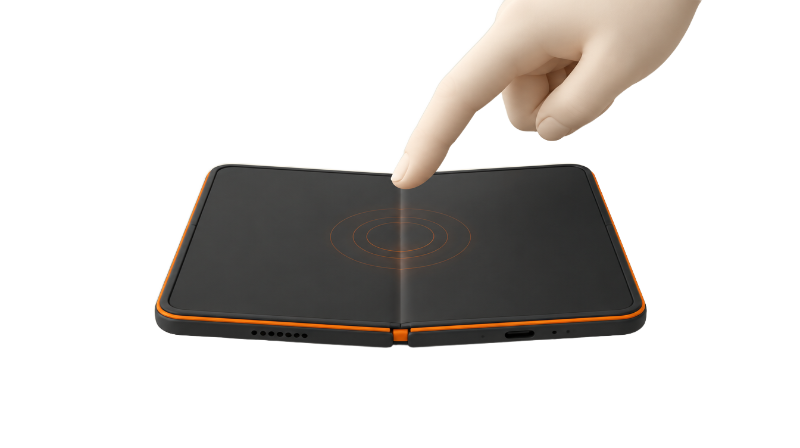
Apple describes the iPhone Duo's inner display as flat and smooth but hasn't said whether the fold should feel different from the rest of the screen. A slight give that hasn't changed isn't one of the symptoms owners reported with the inner-display issue Apple acknowledged on Oct 26. If the spot is new or growing, or comes with a crunch, a bump, lines or phantom touches, Apple says to contact AppleCare.
Apple hasn't said whether the center of the iPhone Duo's inner display should feel any different from the rest of the screen. A slight give that has always been there isn't among the symptoms owners described when Apple acknowledged an inner-display issue on Oct 26, but a soft spot that's new, growing or comes with a sound, a bump or lines on the screen is worth getting checked.
This guide covers what Apple says, what reviewers reported, how a soft feel differs from the acknowledged issue, and what to avoid. It's built from Apple's pages and published reporting, not hands-on testing. For what the crease is and why it's there, see the crease explainer.
What Apple says about the fold
Apple's iPhone Duo page says the inner display is made of more than 10 ultrathin layers with a custom nano-texture finish, and its FAQ calls it "wonderfully flat and smooth." The same FAQ says optically clear adhesives let the display layers glide as the screen folds, minimizing stress and crease. As MacRumors pointed out, that answer doesn't say there is no crease.
In its iPhone Duo announcement, Apple says the top of the inner display is a scratch-resistant coating and a nano-textured cover layer made from a custom polymer with up to 40 percent higher stiffness than other industry materials. Apple says high-strength glass sits above and below the folding panel, a titanium plate sits at the bottom, and the hinge supports the center of the display to hold it flat when opened.
The inner display doesn't use Ceramic Shield; MacRumors notes that Apple reserves Ceramic Shield 2 for the outer display and uses the polymer cover inside. Apple's tech specs page lists the 7.6-inch folding OLED and its nano-texture finish but says nothing about the crease, the cover layer or how the fold should feel.
So Apple describes a flat, smooth surface. It hasn't published any guidance on how the fold area should feel to the touch.
What reviewers reported
Reviewers mostly described feeling the crease rather than a soft center. TechRadar's Lance Ulanoff wrote after his September hands-on, "I can feel it with my finger, but cannot see it." In Macworld's review roundup, PCMag says the crease is visible with the display off and can be felt when you run a finger across the screen, and The Verge says the inner screen feels solid compared with other foldables' glossy screens.
iFixit's teardown found the cover layer peels away easily, as Apple intended, MacRumors reports. According to iClarified, iFixit observed that the layer's microscopic texture helps disguise the dip at the fold, and that removing it made the crease more apparent and left a surface that scratches more easily.
How this differs from the issue Apple acknowledged
On Oct 26, Apple said it was aware of an issue affecting the inner display on some iPhone Duo units and told owners with display problems to contact AppleCare for a replacement, 9to5Mac reports. 9to5Mac adds that AppleCare+ isn't required, and that owners who bought through a carrier should go to AppleCare directly.
The symptoms owners described were specific. iClarified reports unusual resistance or a crunching sound when opening the phone, damage near the center fold, and bright lines or a white patch across the inner screen. One owner told iClarified he felt a bump or loose piece under the display after the phone became harder to open, and another said the inner display registered touches he wasn't making. Fone Arena also lists cracks along the crease, sometimes with no visible outside damage.
Apple hasn't said what causes it. iFixit's analysis is covered in the teardown roundup.
This is an inference, not Apple's guidance: an even, slight give that has felt the same since day one isn't one of those reported symptoms. A spot that's new or getting softer, a raised bump or something loose under the crease, any crunch or resistance when opening, and lines, a white patch or phantom touches all are. For screen marks, see lines, flicker or dead pixels, and for visible damage, cracks near the fold.
What not to do
Don't press on the fold to see whether the spot moves. Apple's display and Multi-Touch troubleshooting document covers image and touch-response problems, not how the fold feels, and says to use your finger pads, not fingernails, on the screen.
Don't peel the cover layer. Apple's cleaning guide says the layer is an integral part of the inner display and not to attempt to remove it. Apple's iPhone Duo Cover Layer document is a service procedure for technicians, not owner instructions: it has the technician read Battery Safety and Broken Glass Safety first, uses a replacement cover layer, a fixture, squeegee and roller, has the bottom adhesive liner removed, and warns not to use hard or sharp tools to lift the layer. MacRumors expected replacement to be limited to Apple Stores and Apple Authorized Service Providers. More on that layer in the nano-texture layer guide, and the service fee is on Apple's repair costs.
Be careful with screen protectors. Apple's display troubleshooting document says to remove cases and screen protectors before troubleshooting, and none of Apple's iPhone Duo pages cited here recommends one for the inner screen. Apple's limited warranty also excludes damage caused by third-party products that don't meet Apple's specifications. See inner screen protectors: should you? before adding one, and protecting the crease for everyday handling.
Coverage and returns
Apple's iPhone repair page says the Apple Limited Warranty covers manufacturing issues for one year from purchase but not accidental damage. Fees with and without AppleCare+ are on the repair costs page.
If you bought from Apple, its returns policy gives 14 calendar days from receipt. Eligible Apple Store Online purchases received Nov 6 to Dec 25, 2026 can be returned through Jan 8, 2027, though iPhones carrier-financed with T-Mobile or Verizon don't get that holiday extension.
Bottom line
Apple hasn't addressed a fold that feels a little different either way, so it isn't proof of a fault. A change is different: new softness, a bump, a sound or anything on screen is worth an appointment while the warranty and return window are on your side. We'll update this guide if Apple publishes anything specific about the fold. Has your iPhone Duo's center changed over time?
Steps
Take off the case and any screen protector
Apple's display and Multi-Touch troubleshooting document says to remove cases and screen protectors first, then touch the screen with your finger pads rather than fingernails.
Clean the inner screen gently
Power off and unplug iPhone Duo, then wipe the display with a soft, slightly damp, lint-free cloth. Apple's document says not to use bleach, hydrogen peroxide or compressed air, and never to submerge the phone.
Check for the signs owners reported
Without pressing on the fold, note whether the soft feel is new or has changed, and watch for a crunch or resistance when opening, a bump under the crease, lines or a white patch, or touches you didn't make. Those match symptoms owners described after Apple's Oct 26 acknowledgment.
Back up iPhone Duo
Apple's limited warranty says the contents of storage will be deleted and reformatted during warranty service, so back up before you hand the phone over.
Check your coverage
Go to Settings > General > AppleCare & Warranty and tap your device to see your coverage and when it expires, or check your coverage online, as Apple's warranty information page describes.
Contact Apple or book service
Start a request on Apple's iPhone repair page to visit a Genius Bar or Apple Authorized Service Provider, or mail it in; Apple's Contact Apple Support page lists 1-800-275-2273 for US phone support. For the inner-display issue, Apple told owners to contact AppleCare; 9to5Mac says AppleCare+ isn't required and carrier buyers should contact AppleCare directly.
Prepare iPhone Duo for the appointment
Apple's service checklist says that on iOS 27 or later you turn on Ready for Repair in the Find My app (your device > More > Repair or Trade In > Enable), and to bring your sales receipt if possible, since some repairs might require proof of purchase, plus a government-issued ID. Never give your Apple Account password or device passcode to anyone; Apple says it won't ask.
Frequently asked questions
Is a soft spot along the iPhone Duo's fold normal?
Which fold symptoms should I take to Apple?
Do I need AppleCare+ to get the inner-display issue looked at?
Can I peel off the cover layer to check the fold?
Found this useful? Share it.
Sources (22)
From Apple
- AppleiPhone Duo
- AppleiPhone Duo - Technical Specifications
- Apple NewsroomApple unveils iPhone Duo
- Apple SupportiPhone Duo Troubleshooting Display and Multi-Touch Issues
- Apple SupportiPhone Duo Cover Layer
- Apple SupportiPhone Repair & Service
- AppleApple One (1) Year Limited Warranty
- AppleReturns & Refunds
- Apple SupportHow to clean your iPhone
- Apple SupportFind information about your warranty or AppleCare plan
- Apple SupportPrepare your iPhone or iPad for a service appointment
- Apple SupportContact Apple Support
Coverage
- MacRumorsHere's What Apple Says About the iPhone Duo's Crease
- MacRumorsApple Explains What's Inside the iPhone Duo's Folding Screen
- MacRumorsiFixit iPhone Duo Teardown Points to Possible Cause of Screen Cracks
- MacRumorsApple Says iPhone Duo Has Replaceable 'Cover Layer' Above the Display
- 9to5MacApple responds to reports of iPhone Duo's inner display cracking
- MacworldiPhone Duo review roundup: a little weird, a lot of fun and a breath of fresh air
- iClarifiedApple acknowledges iPhone Duo inner display issue, offers replacements
- iClarifiediFixit investigates iPhone Duo screen failures, points to possible hinge issue
Makers and developers
Last verified
