
Home / Service & repairs / iPhone Duo mail-in repair: how Apple's ship-in service works
Service & repairs
iPhone Duo mail-in repair: how Apple's ship-in service works
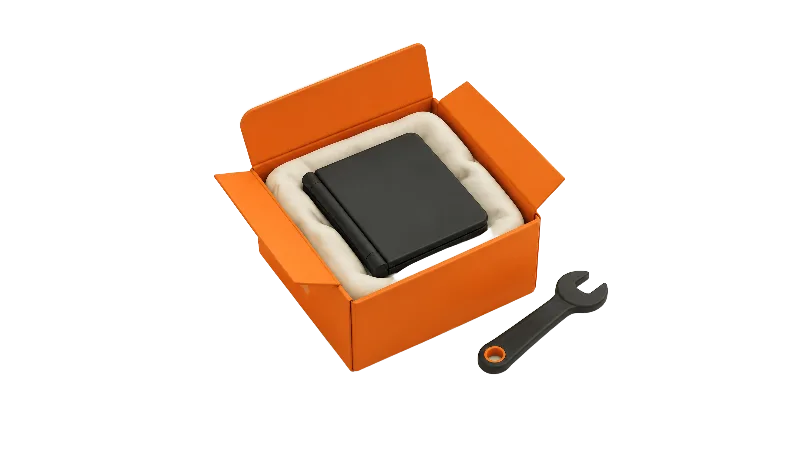
Apple will send you a prepaid box to ship a broken iPhone Duo in for repair, with no appointment. Here's how to start a request, how to prep the phone on iOS 27, what Apple says about fees and timing, and when Express Replacement is the better route.
Key facts
Start a mail-in repair at support.apple.com/repair, in the Apple Support app or by phone, and Apple sends a prepaid shipping kit. On iOS 27 or later you turn on Ready for Repair or Trade-In instead of turning Find My off, and Apple doesn't state a turnaround time.
Apple's mail-in repair lets you ship an iPhone Duo to Apple in packaging Apple sends you, with no store visit. Apple's iPhone service page says the prepaid box lets you mail the phone in "on your schedule and without an appointment."
How do you start a mail-in request?
Apple's AppleCare page says you can start a repair at support.apple.com/repair, in the Apple Support app, or by calling 1-800-692-7753. On the web, you describe the problem and Apple suggests fixes or arranges a repair, per the service page.
The Apple Support app is free and requires iOS 26.0 or later, according to its App Store listing. Once a repair is under way, Apple's service page says you can see current or recent repairs by signing in to My Support or the Apple Support app with your Apple Account.
What arrives, and how it goes back
Apple sends a kit with everything needed to return the iPhone, per Apple's send-in guide, which notes mail-in may not be offered in every country or region. You put the iPhone in the bag, put the bag in the shipping box, and stick the battery sticker flat on the box without covering it with tape or the label.
Book a pickup or drop-off with the courier named on the label, and keep the courier's receipt as proof of shipment.
Pack nothing else. Apple says a case, power adapter, cable or other accessory in the box won't be returned, and that Apple isn't responsible for damage during shipping. Apple's US Repair Terms add that you're responsible for items lost or damaged because Apple's packing and shipping instructions weren't followed.
How long does a mail-in repair take?
Apple hasn't said. Neither the send-in guide nor the service page states a turnaround time, and the send-in guide doesn't mention iPhone Duo at all.
If speed matters more than convenience, Apple's AppleCare page says iPhone repairs can happen as soon as the same day at an Apple Store or an Apple Authorized Service Provider. That route is covered in the Apple Store and authorized provider guide.
Find My can stay on with iOS 27 for eligible repairs
Apple's service prep guide says that on iOS 27 or later you turn on Ready for Repair or Trade-In in the Find My app instead of turning Find My off, while iOS 26 or earlier still means turning Find My off.
Apple's Ready for Repair or Trade In page says that for eligible repairs the feature "keeps Find My on throughout the repair or trade in process." Apple or the service provider tells you whether your repair is eligible, you can follow progress in Find My, and the feature turns off on its own once a technician marks the service complete.
The rest of Apple's prep list is familiar: back up, check that iCloud shows a green status next to Saved to iCloud, turn off Apple Cash, remove cards and passes from Wallet, and finish any repair marked Finish Repair in Parts and Service History.
There's no SIM card to pull. Apple's model identification page says iPhone Duo has no SIM tray. Apple's prep guide says the phone may come back erased, so plan to restore from your backup.
Apple's prep guide says never to share your Apple Account password or device passcode, and that Apple and Authorized Service Providers won't ask for them.
What does it cost?
As of Nov 15, 2026, Apple's iPhone repair page listed inner display damage at $999 out of warranty and $99 with AppleCare. The full list is in the iPhone Duo repair cost guide, and the repair calculator runs the numbers with and without AppleCare+.
Two extras can apply. Apple's service page says a shipping fee may be added if Apple needs to ship your device, and Apple's repair page says Apple inspects the phone to set the final fee.
Express Replacement: the AppleCare+ alternative
With AppleCare, Apple can ship a replacement iPhone so you don't wait for a repair, according to its AppleCare page, and your original phone becomes Apple's property. Apple's Express Replacement guide says the kit holds the replacement plus packaging to return your original.
The trade-off is a card hold. Apple places a temporary hold and releases it after it processes your original and confirms the issue is covered, but charges it if the original isn't returned within 10 business days or is ineligible because of unauthorized modifications or severe damage.
The same prep applies, and Apple's AppleCare page says backing up is your job. If you get a replacement phone, see the eSIM transfer guide. Filing details are in how to make an AppleCare+ claim.
Inner display problems
Apple has acknowledged an iPhone Duo inner display issue and offers replacements through AppleCare, according to iClarified. Contact Apple Support. Background is in the teardown roundup.
Bottom line
Mail-in is the easy choice if you can be without your iPhone Duo for a stretch Apple doesn't specify. Express Replacement is faster with AppleCare, at the price of a card hold. Paying out of pocket? The third-party repair guide covers the other options. We'll update this guide if Apple publishes a turnaround for iPhone Duo. Have you mailed one in yet?
Steps
Start a repair request
Go to support.apple.com/repair, open the Apple Support app, or call 1-800-692-7753, describe the problem and choose mail-in if Apple offers it where you live.
Back up and check iCloud
Back up your iPhone Duo, then in Settings tap your name and iCloud and make sure the icon next to Saved to iCloud is green, since Apple says the phone may come back erased.
Clear Apple Cash and Wallet
Turn off Apple Cash in Settings under Wallet & Apple Pay, then remove each card and pass from Wallet.
Check Parts and Service History
Finish any repair marked Finish Repair first; Apple says an unfinished one could bring an out-of-warranty fee or a denied request.
Turn on Ready for Repair or Trade In
On iOS 27 or later, open Find My, select your iPhone Duo, tap More, tap Repair or Trade In, tap Enable and enter your Apple Account password. If you can't, use another device or icloud.com/find.
Pack only the phone
Put the iPhone in the bag, the bag in Apple's shipping box, and stick the battery sticker flat on the box. Leave out cases, cables and adapters, which Apple won't return.
Ship it and keep the receipt
Schedule a pickup or drop-off with the courier named on the label, and keep the courier's receipt as proof of shipment.
Track it and restore
Follow the repair in My Support, the Apple Support app or Find My, then restore from your backup when the phone returns.
Frequently asked questions
Do I need to turn off Find My before mailing in my iPhone Duo?
How long does Apple's mail-in repair take for iPhone Duo?
Does Apple charge for the mail-in box?
Should I send my case or charger with the phone?
Found this useful? Share it.
Sources (11)
From Apple
- Apple SupportApple Service and Repair for iPhone
- Apple SupportSend your iPhone to Apple for service
- Apple SupportPrepare your iPhone or iPad for a service appointment
- Apple SupportHow to use Ready for Repair or Trade In
- Apple SupportPrepare your iPhone for Express Replacement Service
- AppleAppleCare
- Apple SupportApple Service and Repair for iPhone (repair fees, editor-verified Nov 15, 2026)
- AppleRepair Terms and Conditions (United States)
- Apple SupportIdentify your iPhone model
- Apple App StoreApple Support on the App Store
Coverage
Last verified
